Register for this UX Virtual Conference

I’m participating in a really cool virtual conference this Friday focused on UX for libraries. Here’s the info:
What: User Experience: Seeing Your Library through the User’s Eyes
When:Â Friday, September 19, 2014
Description: User Experience, or UX, is an increasingly important way of evaluating and informing library practices. UX focuses on knowing about our patrons and understanding their perspectives, then using that to inform everything that libraries do, from our websites to the services we provide to the physical layout of our buildings. Join five nationally recognized experts on user experience in libraries for this one-day, live online conference!
Speakers include: Michael Stephens, Aaron Schmidt, Kathryn Whitenton, Elliot Felix, and David Lee King
My Trend (with Stats) from the #alaac14 Top Tech Trends Panel
I was recently on the Top Tech Trends panel at the American Library Association’s annual conference (and have finally recuperated – whew!).
Someone asked me for references to the stats I quoted. Here they are, with a version of what I said (quasi-outline form).
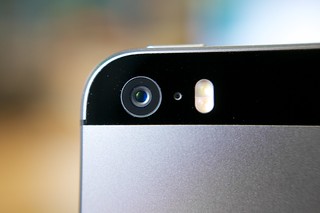
My trend was Mobile First technology:
Some stats (with links!):
- Globally, 1 in 5 people own a smartphone
- Globally, 1 in 17 people own a tablet
- 91% of people sleep within arm’s reach of their mobile device
- Mobile devices have surpassed newspapers and magazines as a favorite consumption platform
- 99% use their device every day
- 78% of teens have a cell phone
- 32% of visits to my library’s website using mobile devices (this stat came from Google Analytics for my library’s website)
What’s going on here?
- Mobile revolution. Smartphones and tablets.
- wifi & cell connectivity pretty much anywhere. Except in my hotel.
- This allows people to connect whenever.
And this is HUGE.
My trend is Mobile First technology. This is the idea that websites should be designed for mobile devices first, and then expand out. Desktops get an enhanced site experience (bigger buttons, full logo) rather than mobiles getting a pared down one.
You can also apply this philosophy to a larger library setting, there are some pretty big ramifications for how we work:
- mobile on website – Build for mobile first. Write for mobile (there’s a way to do it to make it look “right†on mobile devices). If it doesn’t work on a mobile device … maybe you don’t need it anywhere.
- mobile in building – Huge untapped user base here. wifi, power. Power cables and charging stations to check out. Comfy chairs. Text messaging in catalog. Simple things like signage – “we have wifi†or “we have ebooks.â€
- mobile in community – Wifi in 9 blocks. Jason’s LibraryBoxes in the park or at the farmer’s market. Mifi hotspot at the farmer’s market. Ebooks in the mall. Etc.
- mobile for staff – who uses a smartphone for work-related activities? And does your library pay for it, or subsidize it? Maybe they should. Wifi for staff. Tablets for reference staff.
Final thought – Mobile has been a trend for awhile now. But I don’t think libraries have a mobile first philosophy yet. We don’t have some simple “mobile first” things yet, like a truly responsive mobile-friendly website, let alone great mobile access and services in the building or our community.
So let’s start working on mobile first NOW.
Pic by Karlis Dambrans
Headed to ALA and Top Tech Trends!
So, I have to go spend a week in Las Vegas starting tomorrow… for the American Library Association’s annual conference!
My time there will be filled with committee work for LITA, A couple of sessions here and there, and much time in the exhibit hall, hunting down vendors new and old. OK, and “networking” too. Gotta have that!
On Sunday, I’ll be one of the panelists in the popular Top Tech Trends session – 1-2:30pm in the convention center. Come participate and say hi!
If you can’t make it, you can definitely follow along on Twitter – watch the #alattt hashtag. Or just follow the whole huge conference with the #alaac14 hashtag.
Hope to see you there!
Taking Useful Notes at a Conference
I just came back from Computers in Libraries 2014 … with three pages of notes. I heard some useful stuff this year!
I also changed how I’m taking notes, in hopes of making them more useful. In the past, I have been known to furiously type everything I hear, plus some ideas I get during the presentation, and post those notes as a blog post.
This year, I just wrote down the stuff I found interesting, and any ideas I got while listening (well, I actually typed them in the IA Writer iPad app, but you get the idea).
Many of us do this. We take notes while at a conference or during a meeting, and then when we get back home … we don’t really do anything with those notes. Myself included.
So this year, after the conference, I arranged my notes in a more “useful” way by placing all those thoughts and ideas into loose categories, like this:
David’s Categories for Post-Conference Bliss:
- Blog this
- Read this
- Think more about this
- Do this
- Share with someone
Get the idea? Each category is really an action, which get turned into action items on my to-do list when I get back home. For example:
- Blog this – This blog post is an example of that. It’s an idea I had when looking at my notes. Done 🙂
- Read this – Someone mentioned a white paper by Brian Matthews, Think like a Startup. So I downloaded it and read it. Good stuff! Done 🙂
- Think more about this – During one of Nate Hill‘s talks, he mentioned inviting a local Linux user’s group to meet at the library and help redefine the space. I need to think more about what groups are out there in Topeka, and about being more pro-active with inviting them to do work at the library.
- Do this – I heard Michael Casey, Christopher Baker, and David Smith talk about their Google Apps project (had dinner with them, too – fun time!). My “do this” bullet point says to set up a meeting to discuss our Exchange server options (we’re due for an upgrade this year).
- Share this with someone – I have a “talk to my boss” item about the concept of a “startup mentality” for organizations and projects, to see if it’s 1. a good idea, 2. where our bottlenecks are, and 3. if there’s something we can do about it.
A local non-profit board that I’m on recently rearranged their meeting minutes this way, and it really works for us (I can thank my wife for having that great idea, too). For the board meeting, our categories include: Information, Decisions, Open issues, and Action Items. That simple tweak has helped us be more organized. Hopefully it will work better for me personally, too!
So – what do YOU do with all those notes, thoughts, ideas, etc when you get back from the conference? Any good ideas? Please share!
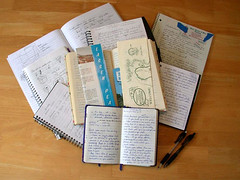
image by Dvortygirl
- « Previous Page
- 1
- …
- 6
- 7
- 8
- 9
- 10
- …
- 66
- Next Page »