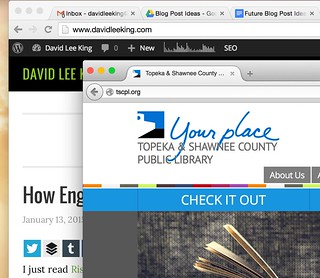
 My last post talked about some tools to use when managing multiple Instagram accounts. When I was writing that post, I realized that I had another tip to share … here it is!
And it’s an easy one. Use separate browsers for work and personal stuff. This works great for me. For example, I’m logged into my personal Google account (for gmail, Google plus, Google Apps, etc.) all the time at work. I use Chrome for that. Chrome is also hooked into Facebook, my personal Twitter account, etc. – pretty much anything “me related” goes on Chrome.
For work-related web tools, I use Firefox. This gives me an easy way to log into separate social media accounts at the same time. For example, I can be logged into work and personal Twitter accounts, or work and personal Google accounts at the same time. No logging out of one and into the other one.
So – a simple tip that might work for you. Have any other tips to share? Please do!
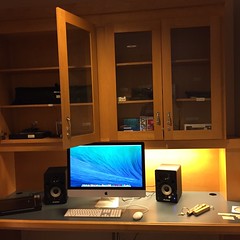 My library just opened our new makerspace, called the
  I followÂ
I follow  My library is putting the final touches on our fledgling makerspace/digital media lab. It opens December 8, assuming all the details fall into place! I thought it might be interesting to do a few posts on our plans – to share equipment ideas, policies and guidelines, and planning – in hopes that someone else will find it useful.