 I’m working on a new ALA Library Technology Report (more on that later this year), and discovered something cool while checking my library’s analytics.
Want to get more people reading your library blog posts? Here’s one handy way to do it – share that post on your library’s Facebook Page. Here’s what happened when I did that with one of my library’s blog posts.
So … I have a blog on my library’s website that I started in January. It’s the Digital Branch blog (I figured I’m the Branch manager, so I should have a branch manager blog. I write about web geekish stuff related to the library’s digital branch that our customers might find interesting).
One of those blogposts has gathered more pageviews that all the other digital branch blogposts combined – a post about Pinterest. So far, Google Analytics shows 137 pageviews for that post. Not too bad! I wanted more comments (because we’re working on a pilot project for a Pinterest account), so I decided to share the post on our library’s Facebook Page.
On our Facebook Page, use Facebook Insights to drill down to an individual post (really cool that you can narrow down that far!). Here are the stats for that particular Facebook post:
- a Reach of 969 (the number of unique people who saw the post)
- 68 Engaged Users (the number of unique people who have clicked on your post)
- 23 were “Talking About This” (the number of unique people who have created a story from your page post. This means they commented, shared, or Liked the post, which then creates a post on their Facebook profile for their facebook friends to see).
So of my blog post’s 137 pageviews, 68 of them, or 50%, came directly from sharing that post on our Facebook Page (Google Analytics further backs that up by showing an “Entrance” number of 70 views on that post, meaning that 70 people came directly to that post from someplace other than my library’s website – i.e., from Facebook to the blogpost).
Simple stuff – write a blogpost, then share it out using Twitter and Facebook. Ask people to comment, and they will (I received comments on the blogpost, on the Facebook post, and in Twitter). And you just might get more readers in the process.
Pic by Britta Bohlinger
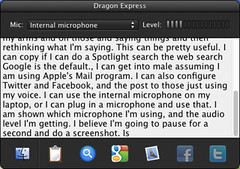 I recently loaded Dragon Express on my laptop, with plans for my son to use it as a tool for his writing-based school work. What’s Dragon Express? Here’s the
 I have been using Twitter’s iPhone app for iPhone tweeting … but since their recent update, the app hasn’t worked well for me. I just tested it – it took 5-6 seconds to open, then when I clicked on Connect, it took about 1 minute to actually show me any tweet replies. Every page of the app has been irritating that way.