 I don’t always realize how odd the times we live in are, in terms of technology (yes, the times we live in are generally pretty weird – yay politics!). But in terms of tech – it’s changing pretty darn fast.
For example …
My youngest daughter is in college, and needed to type in pages of text from a book for a project she’s working on. My wife was helping her with this, and had a thought … so she asked me “do you think there’s some sort of app that will let you take a picture of this page and turn it into text, so we don’t have to type so much?”
Good question! That translated in my techie head to “look for an OCR app,” which I did, and which I found (look for the OCR Scanner in Apple’s App store). It worked great, and just like my wife described – take a picture of the text, push the magical “OCR” button … and we had text. Sweet!
It worked remarkably well. The app apparently didn’t like the letter J, but otherwise it did a great job of turning an image of text into actual text.
Which made me realize just how far we have come! I was an academic librarian early in my career, and we talked about doing OCR scanning of rare books. The scanners were (maybe still are) pretty expensive. It wasn’t always very accurate and definitely required some serious clean-up work.
But this? I already have a phone. The app? Free. Sure, the app could have been better – there wart a slightly wonky process of doing the scan, then copying/pasting the text into an email (there didn’t seem to be a “save” feature in the app). I wouldn’t want to repeat that for a whole book of scanning! But that’s just the first free app I found. I’ll guess there are others that might work better.
Just a realization that if you need something:
- Yes, there probably is an app for that.
- How weird that I can even say that!
- What once was time-consuming, pricey, and took multiple people to do … now fits in my pocket.
- It might even be free.
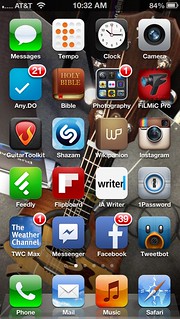 I’ve noticed that I use my iPhone for a bunch of stuff that I used to have another device or system for. Here’s what I mean:
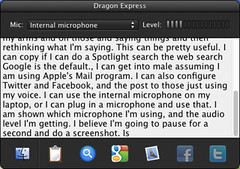 I recently loaded Dragon Express on my laptop, with plans for my son to use it as a tool for his writing-based school work. What’s Dragon Express? Here’s the
 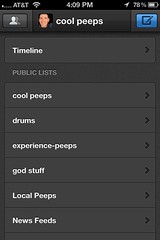 I have been using Twitter’s iPhone app for iPhone tweeting … but since their recent update, the app hasn’t worked well for me. I just tested it – it took 5-6 seconds to open, then when I clicked on Connect, it took about 1 minute to actually show me any tweet replies. Every page of the app has been irritating that way.